Data Deletion Instructions
At Lingo Club, we respect your right to privacy and control over your personal data. You can easily delete your user data from within the app itself.
How to Delete Your Data
To delete your profile and all associated data, follow these simple steps:
- Open the Lingo Club app.
- Navigate to the Options menu.
- Look for the User Options section.
- Tap the Delete Profile button.
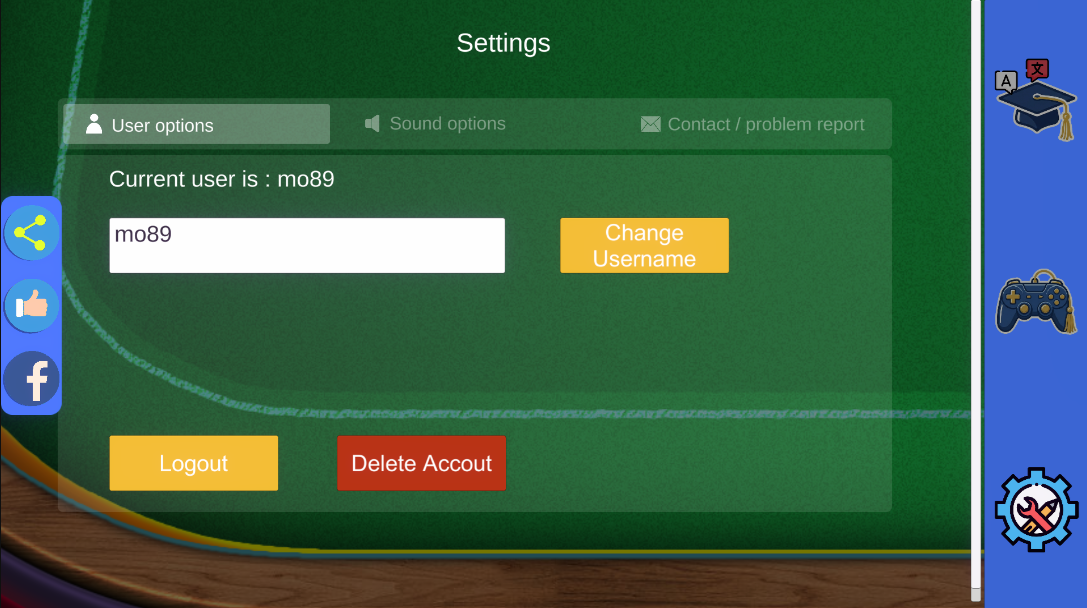
Once you confirm this action, your profile and all related data will be permanently deleted from our systems.
If you encounter any issues or have questions regarding data deletion, please contact us at: office.lingo.games@gmail.com